

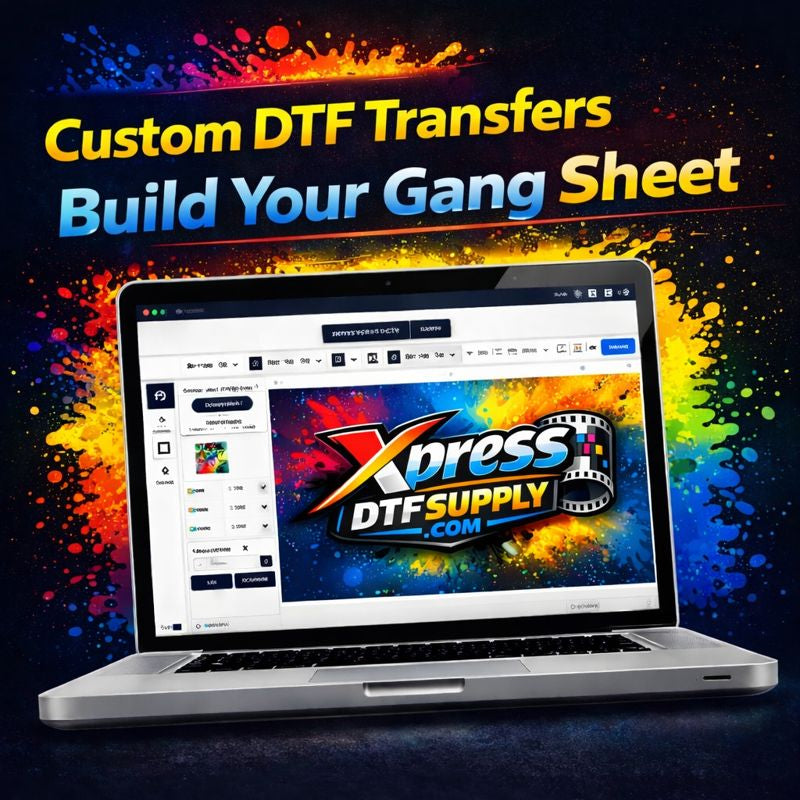
Custom DTF Transfers - Build Your Gang Sheet
Custom DTF Transfers - Build Your Gang Sheet
DTF Care & Maintenance
DTF Care & Maintenance
Proper care and maintenance are essential to preserve the look, durability, and longevity of your DTF-printed apparel.
Following these guidelines will help ensure your garments stay vibrant and intact after repeated washes.
Before Washing
-
Wait at least 24 hours after pressing before washing
-
Allow the adhesive to fully cure before exposing the garment to water or heat
This initial curing period is critical for long-term adhesion.
Washing Instructions
For best results:
-
Turn garments inside out
-
Wash using cold water
-
Use mild detergent
-
Wash with similar colors
Avoid harsh detergents, fabric softeners, and bleach, as these can weaken the adhesive over time.
Drying Instructions
-
Hang dry whenever possible
-
If using a dryer, select low heat only
High heat can damage the transfer and cause premature cracking or lifting.
Ironing Guidelines
-
Do not iron directly on the printed design
-
If ironing is needed, turn the garment inside out or place a cloth between the iron and the print
-
Avoid steam on the printed area
Storage Recommendations
-
Store garments in a cool, dry place
-
Avoid prolonged exposure to direct sunlight
-
Do not fold garments tightly over the printed area
Proper storage helps prevent cracking and adhesion loss.
Common Causes of Transfer Damage
Most DTF issues occur due to:
-
Excessive heat during washing or drying
-
Improper press settings during application
-
Washing too soon after pressing
-
Ironing directly on the design
Following care instructions significantly reduces these risks.
Long-Term Durability Tips
-
Test press settings before full production
-
Avoid over-pressing during application
-
Use recommended heat press settings for fabric type
-
Follow wash and care guidelines consistently
Well-applied and properly cared-for DTF transfers can withstand many wash cycles without loss of quality.
Important Notice
Xpress DTF Supply is not responsible for damage caused by improper application, washing, drying, or garment care.
Following the instructions provided is the responsibility of the end user.
Need Help?
If you have questions about care, pressing, or fabric compatibility, contact Xpress DTF Supply before production or distribution.
DTF Design & Preparation
DTF Design & Preparation
Proper file preparation is critical for clean prints, accurate colors, and fast production.
At Xpress DTF Supply, we print exactly what is uploaded, so following the guidelines below will help ensure your order is produced correctly and without delays.
Accepted File Formats
We accept the following print-ready file types:
-
PNG (preferred) – transparent background recommended
-
PDF
-
AI or EPS (vector files)
Files must be uploaded at final print size. We do not resize, redesign, or adjust artwork unless explicitly arranged.
Resolution & Image Quality
For best results:
-
300 DPI is strongly recommended
-
Avoid screenshots or low-resolution images
-
Enlarging small files will reduce print quality
If an image appears pixelated on your screen, it will print the same way.
Background & Transparency
-
Use transparent backgrounds whenever possible
-
Remove white or colored background boxes
-
Do not include unwanted shapes or borders
Only the visible design will transfer onto the garment.
Color Mode & Expectations
-
Files may be submitted in RGB or CMYK
-
Color output may vary slightly depending on fabric color, heat press settings, and material type
-
We do not color-match unless specifically requested
Testing on sample garments is always recommended.
Gang Sheet Layout Guidelines
If you are building a gang sheet:
-
Space designs slightly apart
-
Do not overlap artwork
-
Keep all designs within the printable area
-
Verify sizing before checkout
Incorrect layouts may result in unusable transfers.
Text, Fonts & Fine Details
-
Convert all text to outlines or curves
-
Avoid extremely thin lines or small text
-
Small details may lift or fade over time
Bold, clean artwork produces the best results.
What We Do NOT Fix
To avoid delays, please note:
-
We do not correct spelling or grammar
-
We do not resize or reposition artwork
-
We do not remove backgrounds unless arranged in advance
All responsibility for artwork approval rests with the customer.
Artwork Review & Production
Once your file is submitted:
-
Artwork is reviewed for basic print readiness
-
Approved files move directly into production
-
Production begins after approval—changes cannot be made afterward
Uploading correct files helps ensure faster turnaround.
Need Help Before Uploading?
If you are unsure whether your artwork is ready, contact us before placing your order.
We’re happy to answer questions and help you avoid common mistakes.
Ready to Upload?
Prepare your artwork using these guidelines and get started with fast, reliable DTF printing from Xpress DTF Supply.
Heat Press Instructions
Heat Press Instructions
How to Apply DTF Transfers from Xpress DTF Supply
Following the correct heat press settings is essential for strong adhesion, vibrant color, and long-lasting durability.
Please review the instructions below carefully before pressing your DTF transfers.
Important Color Ribbon Notice
Do NOT press the color ribbon that runs along the edge of the transfer roll.
This ribbon is not part of the design and will not release from the garment.
Standard Press Settings (Most Fabrics)
First Press
-
Temperature: 300–310°F
-
Time: 8–10 seconds
-
Pressure: Firm and even
Place the transfer image-side down in the correct position.
Every heat press behaves differently—testing is strongly recommended before production.
Peel Options
Cold Peel (Preferred)
-
Allow the transfer to cool completely
-
Peel the film slowly and evenly
-
If needed, gently rub the film with a cloth before peeling
Instant Peel
-
Peel immediately after pressing
-
Use one smooth, continuous motion
Both methods work, but cold peel is recommended for best consistency and durability.
Second Press (Finishing Press)
-
Temperature: 300–310°F
-
Time: 3–5 seconds
-
Pressure: Firm and even
For best results, use parchment paper or a Teflon sheet during the finishing press.
Fabric-Specific Adjustments
Polyester & Poly Blends
-
Temperature: ~300°F
-
Time: 7–9 seconds
These fabrics absorb heat faster and may require shorter press times.
100% Polyester
-
Temperature: 250–285°F
-
Time: 3–8 seconds
Press settings vary by garment and heat press.
You may press multiple times if needed, allowing the garment to cool between presses.
Important Pressing Tips
-
Apply firm, even pressure across the entire design
-
Avoid seams, pockets, buttons, zippers, collars, and thick areas
-
Uneven pressure can cause lifting or poor adhesion
Wash & Care Instructions
-
Wait 24 hours before washing
-
Wash garments inside out
-
Use cold water
-
Tumble dry low or hang dry
-
Do not bleach or dry clean
Proper care will extend the life of the print.
Final Recommendation
Always test on a sample garment before full production.
Results may vary based on fabric type, heat press model, pressure, and environment.
Need Help?
If you have questions about pressing or application, contact Xpress DTF Supply for assistance.
Create your own custom DTF gang sheet by uploading your artwork and arranging your layout exactly how you need it. This option gives you full control while we handle the professional printing.
Our DTF transfers are vibrant, durable, and ready to press, making them ideal for clothing brands, print shops, and bulk production. Transfers work on cotton, polyester, and blended fabrics.
Recommended press settings are 300–310°F with firm pressure, using a cold peel for best results.
We print exactly what is uploaded, so artwork should be print-ready.
All custom products are non-refundable once production begins.
Share
- 5 stars: 2 (100%)
- 4 stars: 0 (0%)
- 3 stars: 0 (0%)
- 2 stars: 0 (0%)
- 1 star: 0 (0%)
It was good 💯💯💯
Fast turnaround, consistent quality, and zero hassle